
A buyer messages you at 9pm asking for the floor plan of a 2BHK. You reply. Two weeks later they’re ready to book but that chat is buried under 300 others, you can’t remember which project you sent, and the agent who first spoke to them has left the company. The number is still in someone’s phone. The lead is gone.
Every broker in India runs on WhatsApp. It’s where enquiries land, where site visits get confirmed, where the “final price?” message comes in at midnight. That part you already know. The problem isn’t whether to use WhatsApp. It’s that most teams use it like a personal chat app one agent, one phone, no record and then wonder why leads slip.
This is a practical guide to using WhatsApp Business the way a real estate sales team should: as a channel you can see, share, and hand over, without losing a single conversation.
Personal WhatsApp vs WhatsApp Business: what’s the real difference?
A lot of brokers already downloaded “WhatsApp Business” and think they’re done. The green app with a catalogue is a fine start for a solo agent. But for a team, the app on one person’s phone still has the same core problem as personal WhatsApp: the conversations live on that device, tied to that person.
Here’s the split that actually matters for a sales team:
- Personal WhatsApp / the Business app on a phone works for one person handling a handful of chats a day. If that person is out, on leave, or leaves the company, the chats and the trust the buyer built with that number go with them.
- A WhatsApp Business number connected to your CRM lets the whole team send and receive from one identity, with every message tied to the right lead. Nobody “owns” the conversation on their personal phone. The business owns it.
For a broker doing ten leads a week, the app is enough. For an agency or a builder’s sales team juggling enquiries across 99acres, MagicBricks, Housing.com, Meta ads and your website, you want the number connected to the place your leads already live.
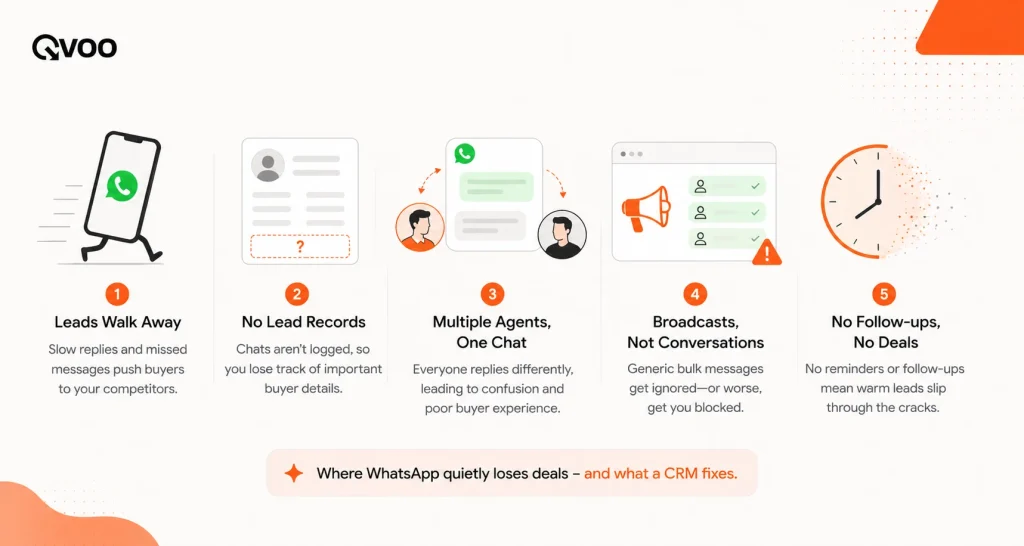
The five ways WhatsApp quietly costs brokers deals
Before the fixes, be honest about where it leaks:
- Chats live on personal phones. When an agent leaves, the buyer relationship leaves too. You can’t even see what was promised.
- No record against the lead. You sent a brochure and a price three weeks ago. Was it the right project? Nobody can check, so the follow-up is a guess.
- The same buyer, two agents. A lead re-enquires from a second portal, a different agent picks it up on their phone, and now two people are messaging the same person with different prices.
- Bulk done the risky way. Someone exports numbers into a broadcast app and blasts 500 people at once. Replies scatter across a personal phone, and the number risks getting blocked.
- Follow-ups depend on memory. The next message is “in someone’s head,” not booked anywhere. At 50–100+ active leads, memory fails.
None of these are WhatsApp’s fault. They’re what happens when a sales channel has no system behind it.
How brokers should actually use WhatsApp Business for lead management
Think of it as five habits, not a feature list.
1. Reply fast and reply from the lead, not your pocket
Speed wins in real estate. A buyer who gets a reply in minutes remembers you; one who waits an hour has already messaged three other brokers. The fix is to make the first reply effortless: when a new enquiry lands, open the lead and message straight from it, so the very first thing you do is also recorded.
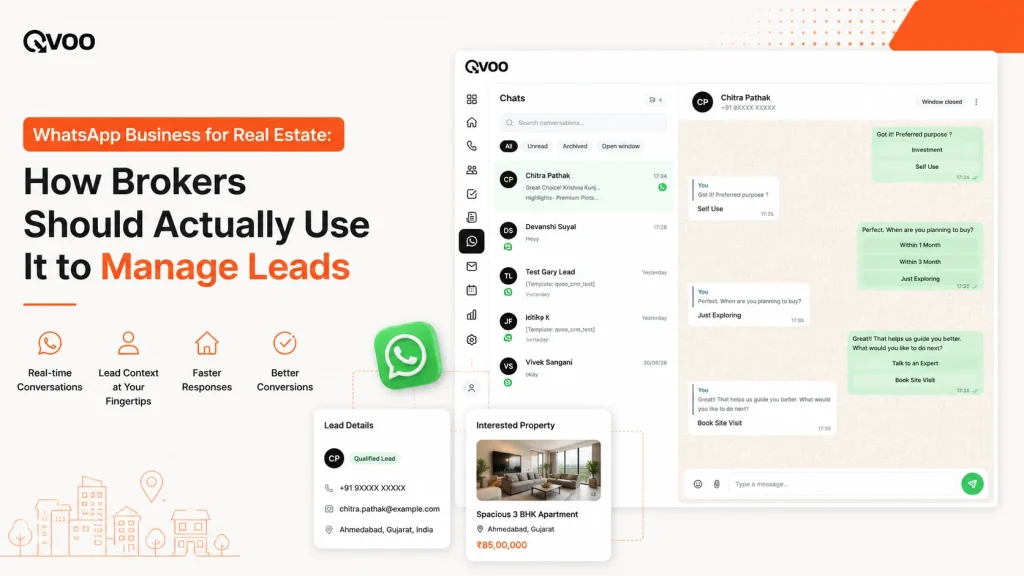
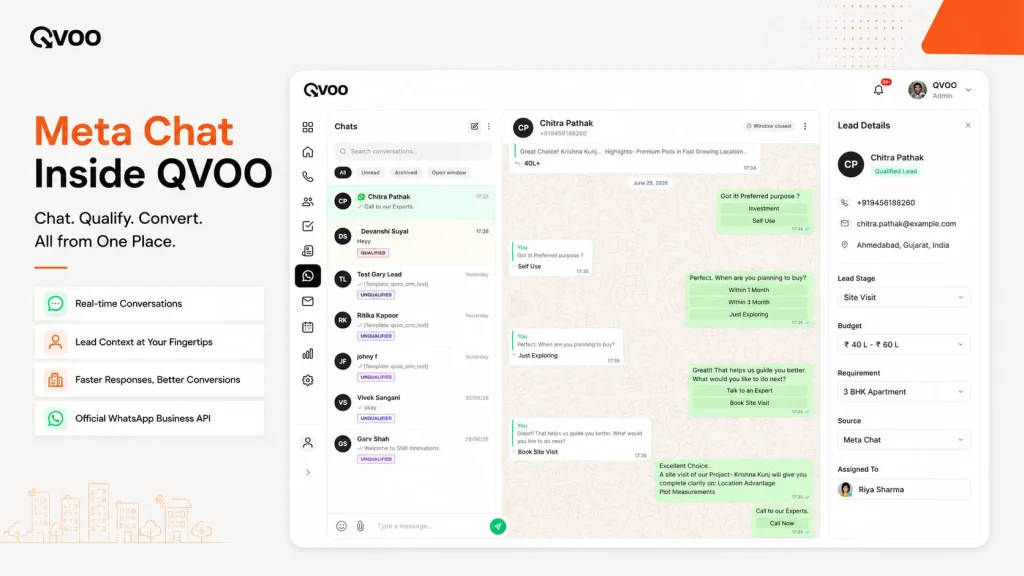
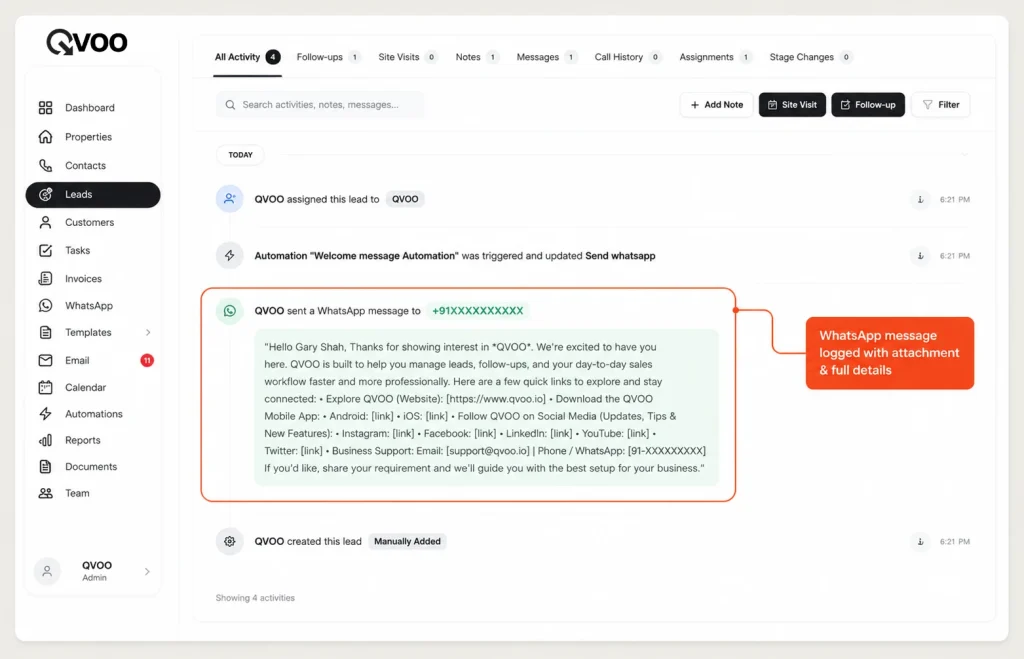
When your WhatsApp Business number is connected to Qvoo, you can send a message to a lead directly from their record. It goes out on WhatsApp like normal and it’s saved on that lead’s activity timeline as a “WhatsApp Message Sent” entry, with a note if you attached a brochure or floor plan. The next person to open the lead sees exactly what was said.
2. Use approved templates for the messages you send every day
You send the same handful of messages constantly: a welcome-and-intro, a “here’s the brochure,” a site-visit confirmation, a “did you get a chance to review?” nudge. Retyping them wastes time and invites typos.
Build these once as templates. Qvoo includes a WhatsApp template library, so your team sends a clean, approved, on-brand message in one tap instead of writing it fresh each time. Templates also keep the whole team consistent the buyer gets the same professional message whether they reach a senior broker or a new joiner.
3. Send in bulk the safe way not with a blast app
There’s a right way to reach many buyers at once: a new-launch announcement, a price revision, an invite to a weekend site visit. And there’s a wrong way dumping 500 numbers into a broadcast tool and firing them off in one burst, which is exactly how numbers get flagged and blocked.
Qvoo’s bulk WhatsApp sends to a list of contacts with your message and attachments, but paces the sending a random delay between messages and a batch size with a gap between batches so it goes out steadily instead of all at once. You can watch the job’s progress and cancel it if you need to. Every bulk message is still logged against each lead as a “Bulk WhatsApp Message Sent” entry, so a broadcast never becomes an untracked blast.
A quick reality check on bulk: it’s for reaching the right, relevant people with something they’d actually want not for spraying every contact you’ve ever saved. Send a new-launch alert to buyers whose budget and area fit. That’s a message people open, not report.
4. Share the right listing straight from the property
Half of WhatsApp in real estate is sending listings. Doing it by hand hunting for photos in your gallery, digging out the price sheet, forwarding a forwarded PDF is slow and error-prone, and you can accidentally send a flat that’s already sold.
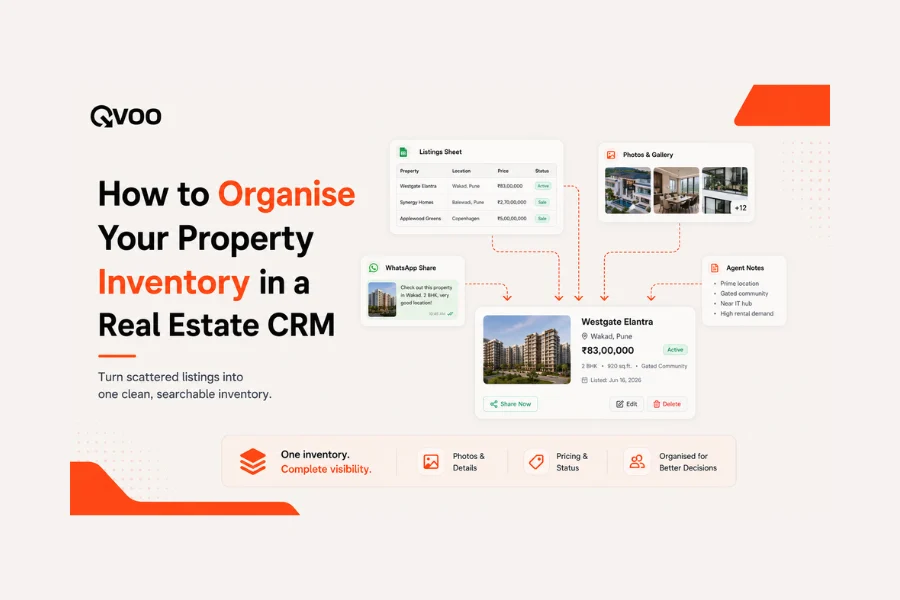
In Qvoo, you share a listing on WhatsApp straight from the Properties module. Pick the property, pick the buyer (a lead, a contact, or a typed number), and it goes out with the current details because it’s sent from the live record, not an old forward. The share is logged on the property’s timeline, and when the recipient is a lead, it’s also recorded on that lead’s history as a WhatsApp activity. You always know which listing went to whom, and when.
5. Keep every conversation attached to the lead so nothing walks out the door
This is the one that saves you when an agent resigns. Because messages send from the lead record and log on its timeline, the conversation belongs to the business, not to a phone. Reassign the lead to another team member and they inherit the full history: what was sent, which brochures, which site visit was confirmed. The buyer never has to repeat themselves, and you never lose a relationship to an exit.
A day in the life: WhatsApp done right
Picture a mid-size brokerage in Pune on a Saturday.
A 99acres enquiry for a 3BHK in Baner lands and is captured into the CRM. The assigned agent opens the lead and sends a welcome template in under two minutes logged. The buyer asks for options, so the agent shares two matching listings straight from the Properties module; both shares appear on the lead’s timeline. On Sunday the buyer visits one flat. Monday morning, the site-visit follow-up goes out.
Meanwhile the sales head has a new tower launching. Instead of forwarding to a random group, they send a paced bulk WhatsApp to buyers whose budget and area fit steady, batched, tracked. Two reply. Both are already in the system, both get picked up by an owner, both conversations are on record.
Nothing here depends on one person’s phone. If any agent is off on Tuesday, another opens the lead and sees the whole story.
What WhatsApp can’t do on its own and what to expect
WhatsApp is a channel, not a strategy. Connecting it to a CRM makes your messaging fast, shared, and recorded it does not decide who to call, judge who’s serious, or close the deal. Templates and bulk save you time; they don’t replace a good agent reading the buyer.
And be realistic about bulk: WhatsApp rewards relevance and penalises spam. A CRM helps you send steadily and to the right list, but the discipline of only messaging people who’d want to hear from you is still yours to keep. Used well, WhatsApp Business becomes the most reliable part of your sales day. Used as a blast tool, it becomes a blocked number.
Where Qvoo fits
Qvoo CRM currently helps real estate teams manage enquiries, follow-ups, property leads, sales pipeline, and bookings from one place built on a scalable platform with a broader CRM vision for more industries in the future. WhatsApp sits right inside that: connect your team’s WhatsApp Business number, send from the lead, use approved templates, run paced bulk sends, and share listings from the Properties module with every message logged on the lead’s timeline so the conversation is the company’s, not one phone’s.
If WhatsApp is where your deals actually happen, it’s worth running it somewhere you can see it.
Ready to stop losing chats to personal phones? See how Qvoo connects your WhatsApp Business number to every lead book a quick demo.
Still using the WhatsApp the old way?
WhatsApp is primary messaging communication portal in India and most of all business rely on them, especially Real Estate business heavily rely on WhatsApp for property sharing. QVOO is a game changer in terms of WhatsApp sharing. As it allows users to share property and message instantly with 1 click. QVOO WhatsApp feature is a must have for realtors.
Frequently Asked Questions
Can I use WhatsApp Business for real estate lead management?
Yes and it’s the most natural fit in the Indian market, where buyers already prefer WhatsApp. The key is connecting your WhatsApp Business number to a CRM so messages send from each lead’s record and stay logged, instead of living on one agent’s personal phone.
What’s the difference between WhatsApp Business and WhatsApp Business API?
The WhatsApp Business app is a free app for one person on one phone fine for a solo broker. The official Business API lets a whole team use one number through connected software like a CRM, with templates and higher volumes. Qvoo supports connecting your business number so the team sends from one place and every chat is recorded.
How do real estate brokers use WhatsApp to manage leads?
Reply fast from the lead record, use approved templates for repeat messages, share listings straight from the property, run paced bulk sends for launches and price updates, and keep every conversation on the lead’s timeline so it survives staff changes.
Is bulk WhatsApp messaging safe, or will my number get blocked?
Blasting hundreds of numbers at once from a broadcast app is what gets numbers flagged. Qvoo paces bulk sends with a random delay between messages and batches with gaps, and it logs each message against the lead so you reach a relevant list steadily instead of spamming everyone at once.
Can I send property brochures and photos on WhatsApp from the CRM?
Yes. You can attach documents and photos to a WhatsApp message, or share a full listing straight from the Properties module with its current details and the share is recorded on both the property and the lead.
What happens to WhatsApp chats when an agent leaves?
If chats live on the agent’s personal phone, they leave too. When messages send from the lead record and log on its timeline, reassigning the lead hands the next person the full history, so the buyer relationship stays with the business.