

A buyer fills your form on 99acres at 9 p.m. By the time you open your sheet the next morning, three other brokers have already called them. The lead was never lost in the market. It was lost in a spreadsheet.
Most real estate teams in India start with Excel or Google Sheets, and for the first few weeks it works. Then the leads pile up, portals, Meta ads, website forms, walk-ins, referrals and the sheet that once felt simple starts costing you bookings. This is a practical look at Excel vs CRM for real estate lead management: where spreadsheets quietly break, and what actually changes when you move off them.
Why Excel feels fine at first
A spreadsheet is free, familiar, and instant. With 20 or 30 leads, one person can hold the whole pipeline in their head and the sheet is just a backup.
The trouble is that Excel was built to store numbers, not to chase people. It doesn’t know a follow-up is due. It doesn’t tell you the same buyer enquired twice. It doesn’t ping the agent who owns the lead. Every one of those jobs falls on you to remember and memory is exactly what stops scaling once the volume climbs.
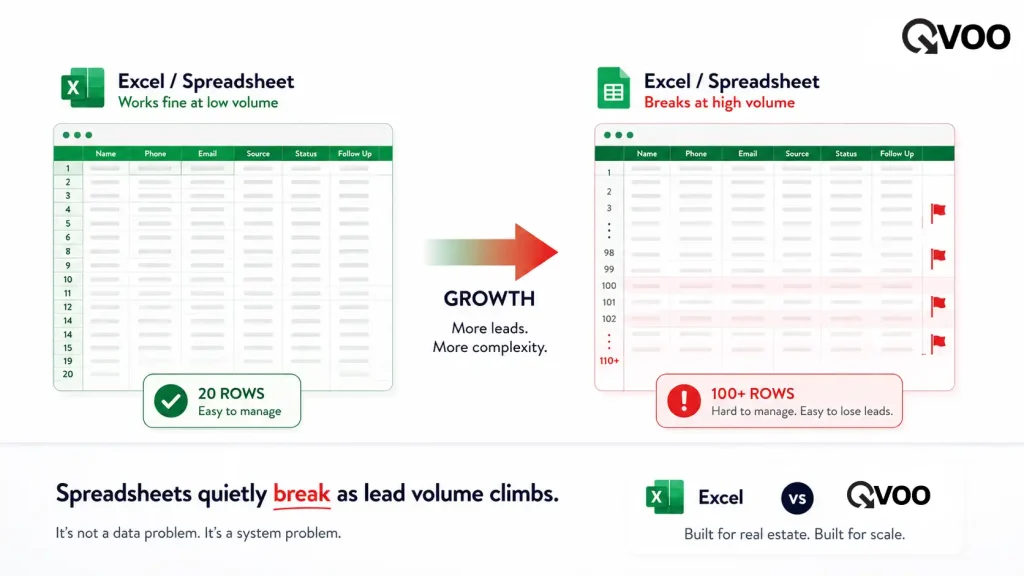
Where spreadsheets break after 100+ leads
Once a team crosses roughly a hundred active leads, the cracks show up fast.
- Leads leak between sources. Your enquiries arrive from 99acres, MagicBricks, Housing.com, Meta lead-gen ads, Google Ads and your own website all at once. Copy-pasting each one into a sheet by hand means some never make it in, and the ones that do arrive late.
- Follow-ups slip. A spreadsheet can’t remind anyone. The buyer who wanted a site visit “next week” gets forgotten because nobody owned the reminder.
- Two agents call the same buyer. With everyone editing one shared sheet, there’s no clear owner. Clients get called twice or not at all and your team looks disorganised.
- Repeat enquiries look like new leads. The same buyer often enquires again weeks later from a different portal. In Excel, that’s a brand-new row, so you lose the history of every conversation you already had.
- You can’t see the pipeline. “How many leads are at site-visit stage? Which ones are close to booking?” A sheet can’t answer that without manual sorting, so decisions get made on gut feel.
- One wrong click and a client is gone. Delete a row, overwrite a cell, or lose the latest version, and a real buyer disappears with no trail.
What a CRM changes
A CRM is built for the one job Excel can’t do: keeping track of people and the next step with each of them. Here’s the difference in plain terms.
| What happens with a lead | In Excel | In a CRM |
|---|---|---|
| New enquiry from a portal or ad | Copy-pasted by hand, often late | Captured automatically, the moment it lands |
| Follow-up due | You have to remember | Scheduled and reminded |
| Same buyer enquires again | New row, lost history | Linked to the existing lead with full history |
| Who owns the lead | Unclear in a shared sheet | Assigned to one agent |
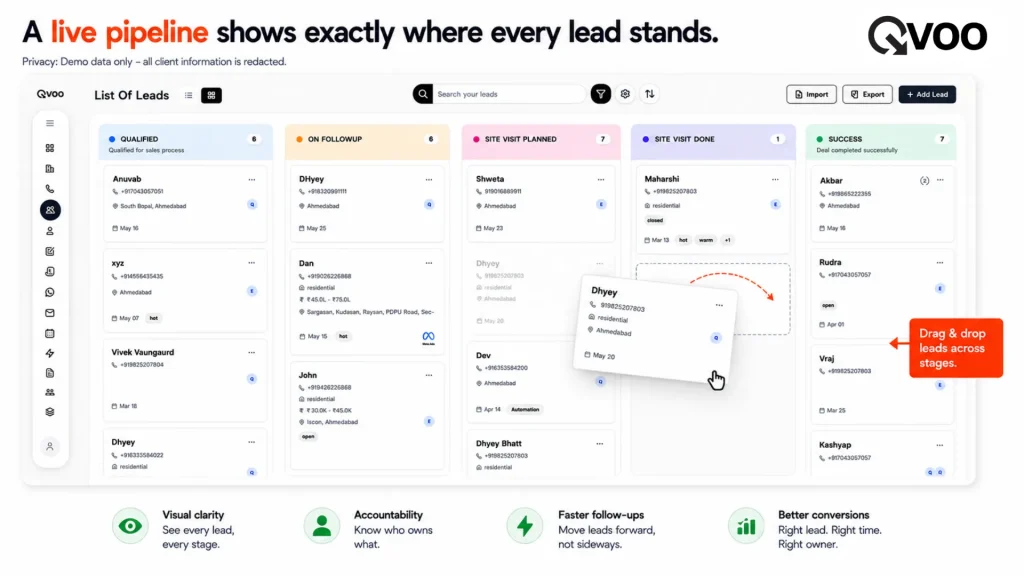
| Pipeline view | Manual sorting | Live, at a glance |
| Team working together | Version conflicts | One shared, always-current record |
The point isn’t that spreadsheets are bad. It’s that past a certain volume, the manual work they create is exactly where bookings leak out.
A real broker workflow, before and after
Picture a small agency in Pune handling around 150 active leads.
On Excel: A lead comes in from MagicBricks at night. It’s added to the sheet next morning, if someone remembers. Two agents see it and both call. The buyer asks for a site visit Saturday; the note goes in a cell and is never seen again. Three weeks later the same buyer enquires from 99acres logged as a fresh lead, history gone. The deal cools.
On a CRM: The MagicBricks enquiry is captured automatically and assigned to one agent instantly. A follow-up is scheduled, so the site visit actually happens. When the buyer re-enquires from 99acres, the system recognises them and surfaces the earlier conversation instead of starting over. The agent picks up exactly where they left off and the booking stays alive.
Where Qvoo fits in
Qvoo CRM currently helps real estate teams manage enquiries, follow-ups, property leads, sales pipeline, and bookings from one place built on a scalable platform with a broader CRM vision for more industries in the future.
For a broker moving off Excel, the parts that matter most are practical:
- Automatic lead capture from property portals (99acres, MagicBricks, Housing.com), Meta lead-gen ads, Google Ads and your website forms so no enquiry has to be typed in by hand.
- A proper Leads module with notes, an activity timeline, team assignment, and re-inquiry handling that links a returning buyer to their existing lead instead of creating a duplicate.
- WhatsApp follow-ups using the WhatsApp Business API, so the channel buyers actually reply on is built into your workflow.
- A clear sales pipeline from enquiry to site visit to booking, plus a dashboard and reports that answer “where do we stand?” without sorting a single column.
So, should you switch?
If you’re a solo agent with a handful of leads, a clean spreadsheet is fine don’t overthink it. But the moment you have a team, multiple lead sources, and more enquiries than one person can hold in their head, Excel stops being a system and starts being a leak. That’s usually somewhere around the 100-lead mark.
The honest test: if you’ve ever lost a buyer because a follow-up slipped, or two agents called the same person, your spreadsheet has already cost you more than a CRM would.
Want to see what your pipeline looks like when nothing falls through the cracks? Book a quick Qvoo demo and bring your messiest lead sheet we’ll show you the difference on your own numbers.
Ready to Upscale your Business?
If you need to take your business from small scale to large scale.
Explore how QVOO works with your existing sales pipeline.
Frequently Asked Questions
Is Excel good enough for real estate lead management?
For a solo agent with a small, slow pipeline, yes. Once you have a team and leads coming from multiple portals and ads, Excel can’t capture, remind, or assign on its own and that’s where leads start slipping.
At what point should a broker move from Excel to a CRM?
A practical signal is around 100+ active leads, or the day you add a second person to the pipeline. Once more than one agent edits the same sheet, version conflicts and double-calls begin almost immediately.
What can a CRM do that a spreadsheet can’t?
Automatically capture leads from portals and ads, schedule and remind follow-ups, assign each lead to one owner, link repeat enquiries to existing leads, and show a live pipeline none of which a static sheet can do.
Will moving off Excel mean losing my existing lead data?
No. Existing leads can be brought in, and from there each one keeps a full history of notes and activity, so nothing has to start from scratch.
Does a CRM help with leads from 99acres and MagicBricks specifically?
Yes. Qvoo captures enquiries from property portals like 99acres, MagicBricks and Housing.com automatically, so portal leads land in one place instead of being copy-pasted by hand.
Is a CRM hard for a small broker team to use?
A good real estate CRM is built around the everyday workflow enquiry, follow-up, site visit, booking so the learning curve is short. The goal is less manual work, not more.