
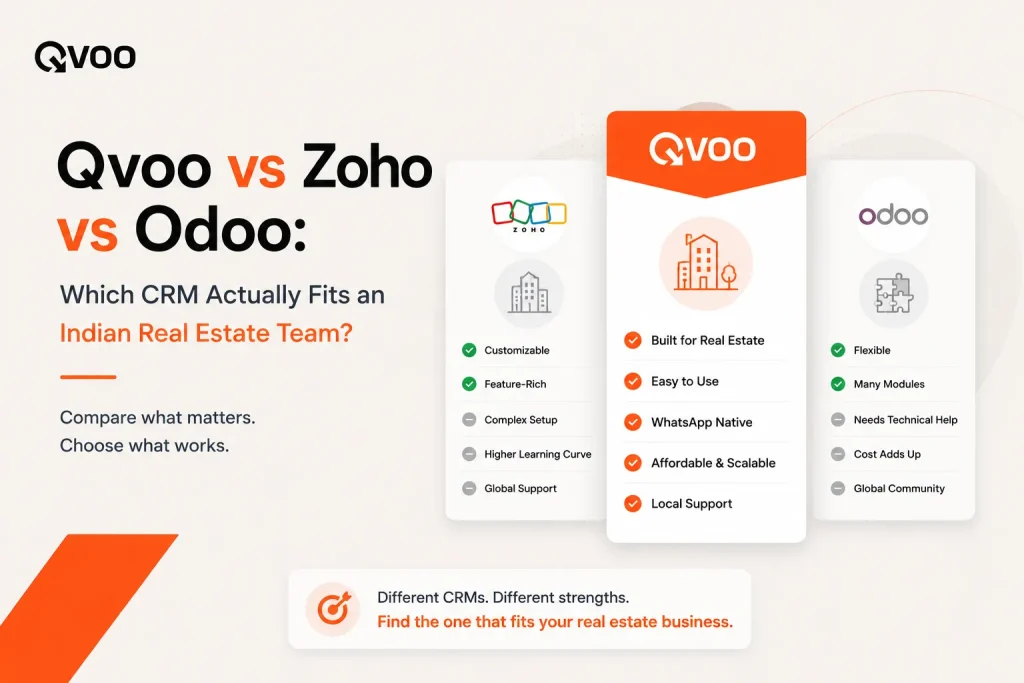
You have shortlisted a CRM for your real estate team. Now you are stuck between three names: Qvoo, Zoho, and Odoo. On paper they all “manage leads.” In practice, they ask very different things from you before they start paying you back.
The real question is not “which has more features.” It is “which one fits how my brokers already work chasing portal leads, sending WhatsApp messages, booking site visits, and closing deals.” Pick the wrong fit and your team quietly drifts back to Excel within a month.
This is a fair, side-by-side look at all three, judged on the work an Indian broker actually does every day.
First, what each tool is really for
It helps to see where each product comes from. That origin shapes everything else.
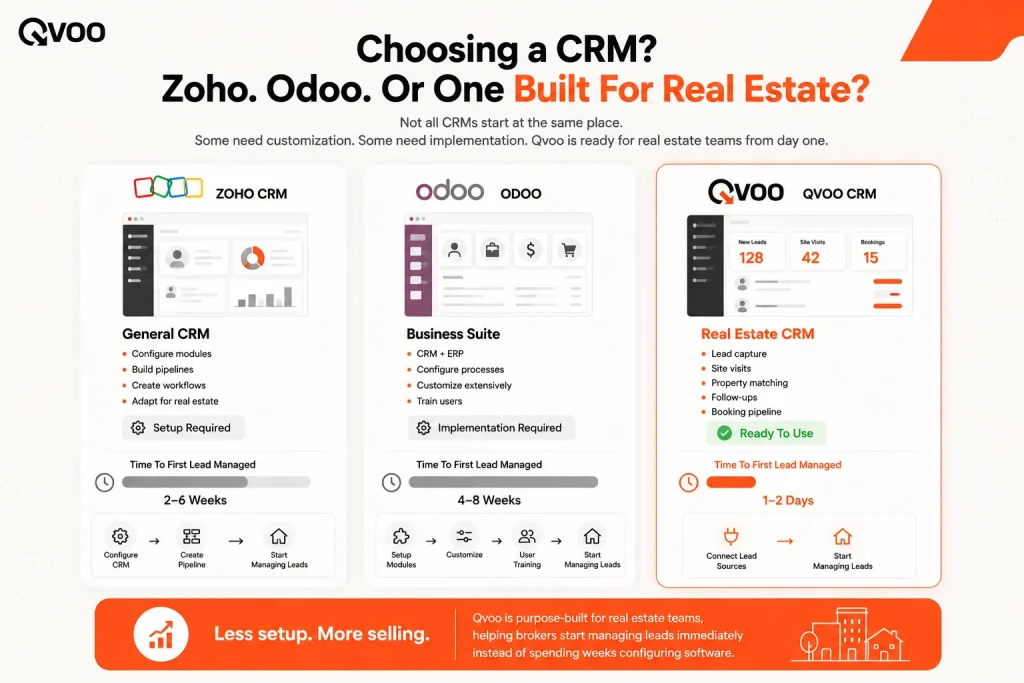
Zoho CRM is a popular, flexible sales CRM used across many industries insurance, retail, finance, and real estate. It is strong, configurable, and affordable. But it is general-purpose. To make it feel like a real estate tool, someone on your side has to build that out.
Odoo is an open-source business suite. CRM is one module sitting next to accounting, inventory, HR, and more. Large developers like it because everything can live in one system. The trade-off is setup: Odoo is modular and usually needs technical configuration, and often a consultant, before it runs the way you want.
Qvoo is a real estate CRM, and only that. It currently helps real estate teams manage enquiries, follow-ups, property leads, sales pipeline, and bookings from one place built on a scalable platform with a broader CRM vision for more industries in the future. The real estate workflow is the default, not a project you have to build.
Capturing leads from 99acres, MagicBricks and Meta
A broker’s day starts with leads. Most of them come from property portals, Meta lead-gen ads, and the website enquiry form. The first test of any CRM is simple: do those leads land inside it automatically, with an owner, ready to work?
With Zoho, lead capture from Indian portals usually means setting up integrations, third-party connectors, or imports. It can be done but it is your job to wire it up and keep it running.
With Odoo, the same is true and often heavier, since the CRM module has to be configured to handle property leads in the first place.
Qvoo auto-captures leads from property portals (99acres, MagicBricks, Housing.com), Meta Ads lead forms, Google Ads, and website forms into one Leads module. Each lead carries notes, an activity timeline, re-inquiry handling, and team assignment, so the moment an enquiry arrives a broker can pick it up and the next person can see exactly what happened. That is the difference between a lead “captured” and a lead actually worked.
Following up on WhatsApp
In Indian real estate, the deal moves on WhatsApp. A CRM that ignores that is fighting your team’s habits.
Zoho can connect to WhatsApp, but it generally needs third-party add-ons to do bulk messaging and templates well. Odoo similarly relies on extra modules or integrations.
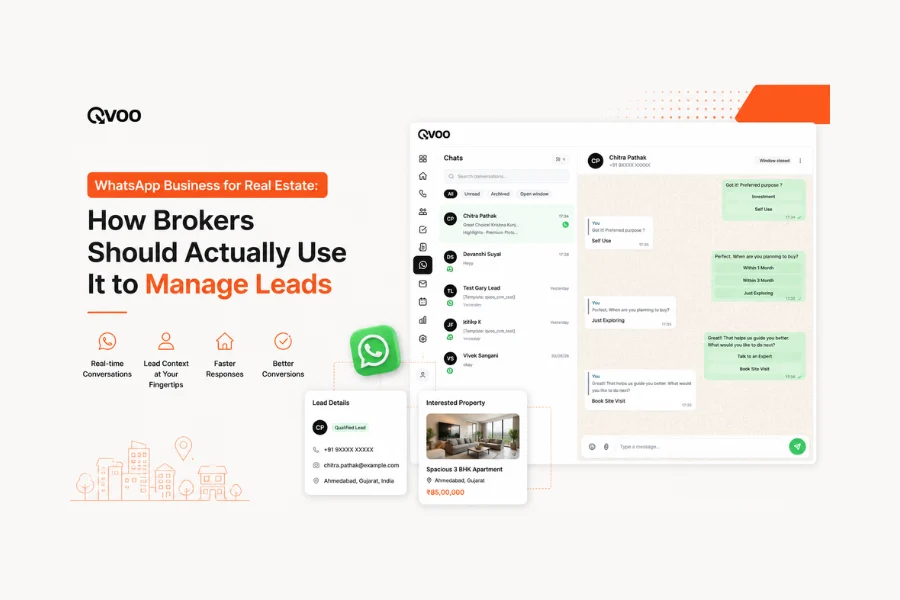
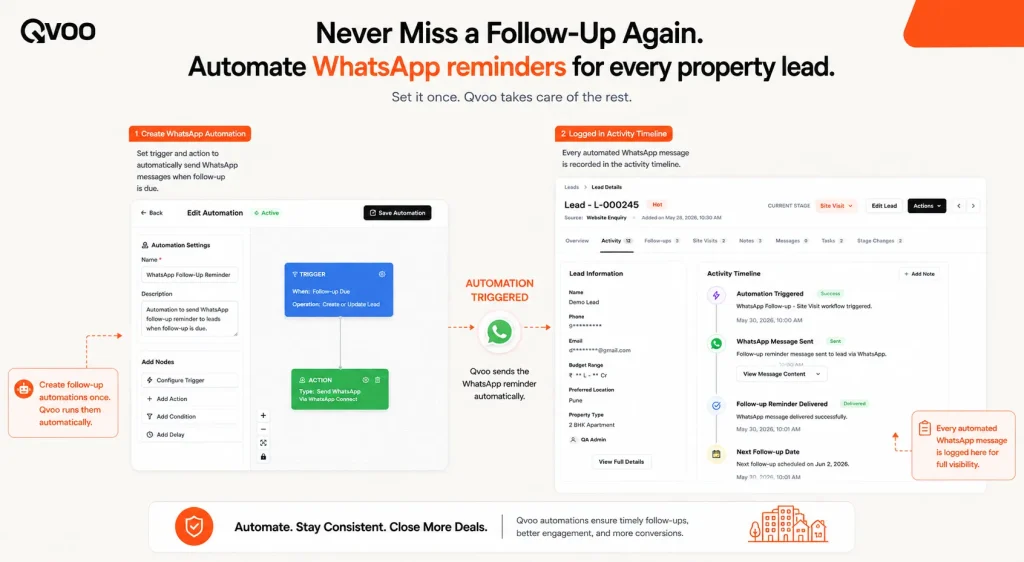
Qvoo has WhatsApp Business built in instant follow-ups, approved templates, and bulk messaging from inside the CRM. Your brokers reply where buyers already are, without copy-pasting numbers into a separate app.
Site visits, pipeline and bookings
Closing a property deal is a sequence: enquiry, site visit, negotiation, booking. Your CRM should mirror that, not force you to bend it into a generic “opportunity” object.
Zoho and Odoo can be shaped into this with custom stages, custom fields, and calendar setup. Again capable, but it is configuration work, and someone owns that project.
Qvoo ships with a stage-based sales pipeline (enquiry → site visit → booking → post-sales) and a Calendar to schedule site visits, follow-ups and meetings, with Google Calendar sync. Site-visit outcomes and stage changes are logged on the lead’s timeline, so nothing about a visit gets lost between two team members. It is the broker workflow as the product, not as a setup task.
Seeing the numbers and the team
Owners want two things: a clear view of the pipeline, and a way to see who is doing the work.
Zoho has powerful reporting and dashboards once configured, and Odoo offers deep reporting as part of its suite both reward the time you invest in setting them up.
Qvoo gives a real-time dashboard with configurable KPI cards, plus a 5-step report builder for custom pivot-style reports on leads, properties, and pipeline. Employees see their own numbers; admins see the whole workspace. You get visibility without hiring someone to build it.
So which one should you choose?
Here is the honest version.
Choose Odoo if you are a large developer that wants real estate to live inside one big ERP alongside accounting and operations, and you have the technical help to set it up and maintain it.
Choose Zoho if you want a flexible, low-cost general CRM and you are happy to invest the time to customise it into a real estate tool and to keep those integrations running.
Choose Qvoo if you are a broker, agency, or growing developer who wants the real estate workflow ready on day one portal leads, WhatsApp follow-ups, site visits, pipeline, and reports without a customisation project standing between you and your first closed deal.
There is no universally “best” CRM. There is the one that fits how your team already sells. For most Indian real estate teams, that fit is the whole point.
See Qvoo on your own pipeline
The fastest way to judge fit is to watch a real lead move through it. Book a free demo at Qvoo.io and we will walk your portal leads, WhatsApp follow-ups, and site-visit flow through Qvoo using your workflow, not a generic script.
Frequently asked questions
Which is the best real estate CRM in India?
There is no single best CRM for everyone it depends on your team. Generic CRMs like Zoho and Odoo are powerful but need customisation to fit real estate. A purpose-built option like Qvoo gives Indian brokers portal lead capture, WhatsApp follow-ups, site visits, and a sales pipeline ready to use, which is why many real estate teams find it the closest fit out of the box.
Is Zoho CRM good for real estate?
Zoho is a capable, affordable, flexible CRM used across many industries. It can work for real estate, but it is general-purpose, so you typically need to configure stages, custom fields, portal lead capture, and WhatsApp add-ons yourself before it feels like a real estate tool.
Is Odoo a good fit for a real estate business?
Odoo suits larger developers that want CRM to sit inside one ERP alongside accounting, inventory, and operations. The trade-off is setup: Odoo is modular and usually needs technical configuration, and often a consultant, before the real estate workflow runs the way you want.
What makes Qvoo different from Zoho and Odoo?
Qvoo is built only for real estate. The broker workflow leads from 99acres, MagicBricks, Meta and your website, WhatsApp follow-ups, site visits, pipeline, and bookings is the default setup, not a project you build. Zoho and Odoo are generic platforms you adapt; Qvoo arrives adapted.
Can these CRMs capture leads from 99acres and MagicBricks?
Qvoo auto-captures leads from 99acres, MagicBricks, Housing.com, Meta Ads, Google Ads, and website forms into one place. With Zoho and Odoo, portal lead capture is usually possible through integrations or connectors that you set up and maintain.
How long does it take to get started?
Qvoo is designed to work for real estate out of the box, so a team can start managing leads quickly. Zoho and Odoo timelines depend on how much customisation and integration work your setup needs often days to weeks, and Odoo frequently involves a consultant.